Description
[vc_row][vc_column][vc_column_text woodmart_inline=”no” text_larger=”no”]
[/vc_column_text][/vc_column][/vc_row][vc_row][vc_column][vc_column_text css=”” woodmart_inline=”no” text_larger=”no”]
🎯 Shadow Premium for Delta Force – Dominate Every Match, Undetected
Unleash elite performance with Shadow, the most trusted and undetectable enhancement tool for Delta Force. Built for serious players, Shadow delivers precision, reliability, and stealth – powered by cutting-edge features to give you the upper hand in every match. This product supports Windows 10 & 11 only! NOTE: This product does NOT include a spoofer!
🚀 Why Shadow Stands Out

Why Shadow Is the #1 Choice for Delta Force:
🚀 Precision. Stealth. Dominance – Shadow gives you the edge every match.
📋 Feature List:
| ✅ Steam Global / CN, WeGame, Official & Epic Launcher | ✅ Supports Intel & AMD |
| ✅ Windows 10 & 11 (25H2 Supported) | ✅ Fully Streamproof |
| ✅ 100% Undetected – KRAD Bypass | ✅ Fully Controller Integrated (Native) |
| ✅ Silent Aim with FOV & Bone Selection | ✅ Aimbot with Smooth & Stickiness |
| ✅ Player ESP with Skeleton, Health & Gear | ✅ Loot ESP with Rarity, Price & Distance |
| ✅ Chams for Players, AI, Weapons & Hands | ✅ Misc: FOV Changer, Third Person, Crosshair |
| ✅ Instant Delivery | ✅ Config Save / Load System |
| ✅ PC Only (Not Console) |
ℹ️ NOTE
This product does NOT include a spoofer. A separate HWID spoofer is recommended for maximum safety. Full controller support is included with no remapping required.
🤫 Silent Aim:
- ✅ Enable Silent Aim – Master toggle for silent aim system
- ✅ Visible Only – Only targets visible enemies
- ✅ Ignore Knocked – Skips downed players automatically
- ✅ Ignore AI – Excludes AI enemies from targeting
- ✅ FOV – Adjustable silent aim field of view
- ✅ Max Distance – Set maximum engagement distance
- ✅ 2 Keybinds – Dual keybind support (native controller, no remap needed)
- ✅ Mode – Hold / Toggle / Always active modes
- ✅ Aim Filter – Closest to Crosshair / Closest Player / Lowest HP
- ✅ Bone Selection – Closest / Head / Neck / Chest
- ✅ Draw FOV – Visual FOV circle indicator
- ✅ Draw Target Line – Line drawn to current target
🔫 Aimbot:
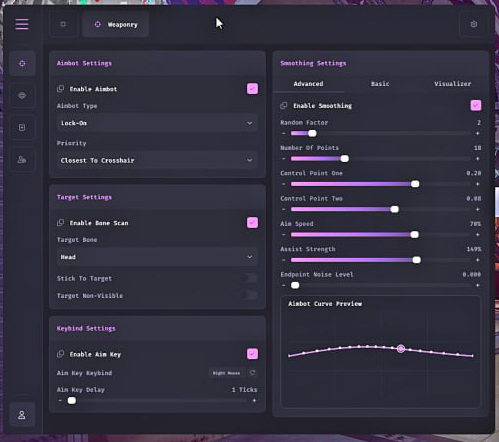
- ✅ Enable Aimbot – Master toggle for aimbot system
- ✅ FOV – Adjustable aimbot field of view
- ✅ Smooth Speed – Aim smoothing intensity control
- ✅ Stickiness – Target lock stickiness adjustment
- ✅ Aimbot Filter – Target priority filtering options
- ✅ Bone Selection – Closest / Head / Neck / Chest
- ✅ 2 Keybinds – Dual keybind support (native controller, no remap needed)
- ✅ Visible Check – Only aims at visible targets
- ✅ Ignore Knocked – Skips downed/eliminated players
- ✅ Draw FOV – Visual FOV circle indicator
- ✅ Draw Target Line – Line drawn to locked target
👁️ Player ESP:
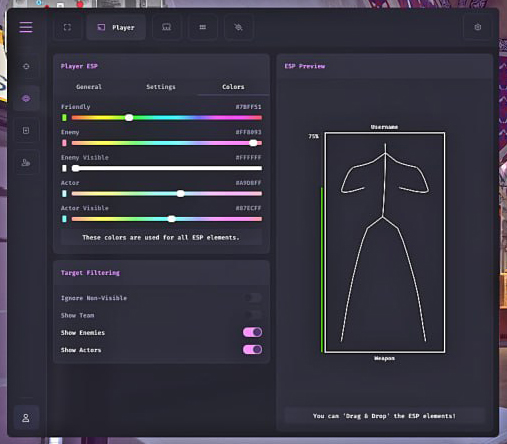
- ✅ Skeleton – Player bone structure overlay
- ✅ Head Circle – Circle indicator on player head
- ✅ Box – Player bounding box display
- ✅ Distance – Distance to player indicator
- ✅ Name – Player name display
- ✅ Team Number – Team identifier display
- ✅ Weapon – Current weapon display
- ✅ View Direction – Shows direction player is looking
- ✅ Health Bar – Player health display
- ✅ Snaplines – Lines connecting to all players
- ✅ Show Knocked – Highlights downed players
- ✅ Helmet Name & Level – Helmet gear info display
- ✅ Armor Name & Level – Armor gear info display
- ✅ Chest Bag Name & Level – Bag/backpack info display
- ✅ Hero Name – Character/hero name display
- ✅ Visible Check – Differentiates visible vs. hidden targets
- ✅ Max Distance – Set maximum ESP render distance
- ✅ Custom Colors / ESP Size / Transparency / Brightness
💰 Loot ESP:
- ✅ Item Name – Displays name of nearby loot
- ✅ Rarity – Shows item rarity tier
- ✅ Distance – Distance to loot items
- ✅ Price – Displays item value
- ✅ Minimum Price Filter – Filter loot below a set value
- ✅ Max Distance – Maximum loot ESP render range
- ✅ Players Corpses – ESP on player body loot
- ✅ AI Corpses – ESP on AI body loot
- ✅ Computers – Highlights interactable computers
🎨 Chams:
- ✅ Applies To – Player / AI / Weapon / Hands / Self
- ✅ Enable – Master chams toggle
- ✅ Style – Static Color or RGB Color cycling
- ✅ Static Color Picker – Full custom color selection
🎮 Misc:
- ✅ Camera FOV Changer – Adjust in-game field of view
- ✅ Third Person View – Toggle third-person perspective (hotkey)
- ✅ Arms Scale Offset – Custom X / Y / Z arm positioning
- ✅ Weapon Scale Offset – Custom X / Y / Z weapon positioning
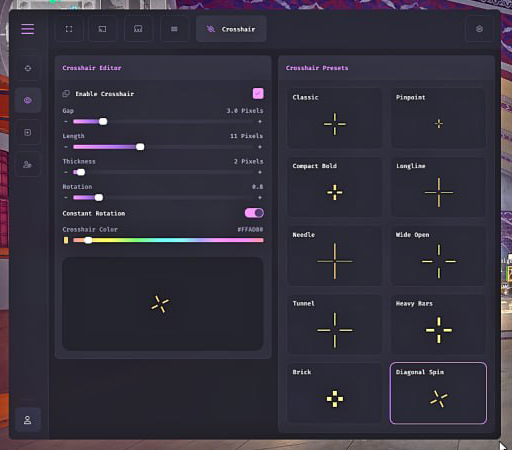
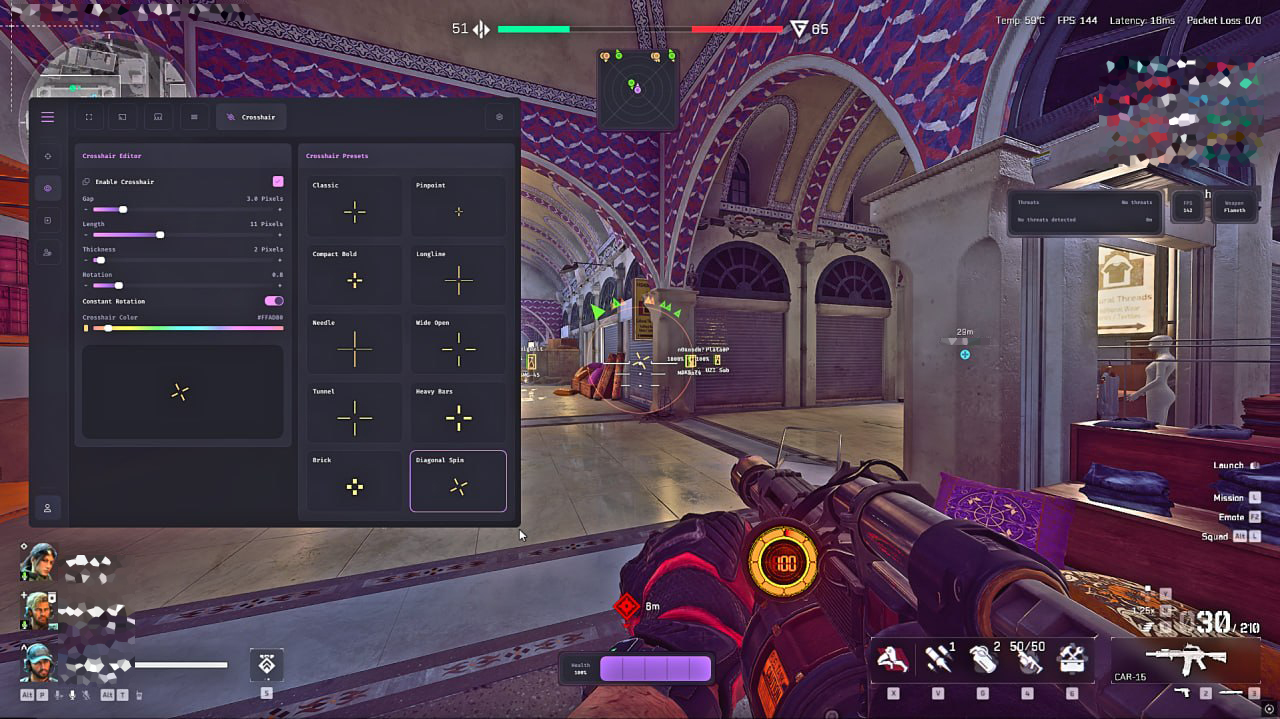
- ✅ Enable Crosshair – Custom crosshair overlay
- ✅ Combat Mode – Optimized combat behavior toggle
- ✅ Hide Entities – Hide Player / AI / Item / Dead Container / Computer (customizable)
- ✅ Encryption Bypass – Bypasses game encryption
- ✅ Config System – Save and load full configuration profiles
[/vc_column_text][/vc_column][/vc_row]



Reviews
There are no reviews yet.